 SlayTrolls
Facebook Page Comment Moderation, Simplified
Facebook page comment moderation is the process of reviewing, managing, hiding, deleting, or responding to comments on your Page so public conversations stay useful, safe, and on-brand. For most pages, the comment section has become something far more complex than casual reactions — it's where customers complain, where trolls coordinate, where misinformation spreads, and where first impressions are made.
Good moderation isn't about deleting every negative comment. It's about having a clear, consistent system for handling what comes in — before it damages the conversation.
What Facebook Gives You Out of the Box
Facebook Page managers have access to a set of native moderation tools through Meta Business Suite.1 The three most useful:
- Blocked words — comments containing words on your list are automatically hidden from the Page.2 You manage the list manually.
- Profanity filter — Meta's built-in filter catches common offensive terms. Useful as a baseline, not a complete solution.
- Pending review — comments from people who don't follow your Page can be held for approval before they appear publicly.
These tools help. But they have a fundamental limit: they match text. A troll who knows your blocked words simply rephrases. A coordinated attack of coded language, emoji-only comments, and sarcasm passes every filter without triggering a single flag.
Four Decisions for Every Comment
The simplest way to build a consistent moderation system is to assign every comment to one of four actions.
Hide It
Hiding is usually better than deleting. A hidden comment is invisible to everyone except the person who posted it — they don't know it's hidden, so they don't escalate. Use it for:
- Spam and suspicious links
- Troll comments and coordinated attacks
- Mildly abusive or inflammatory remarks
- Off-topic promotional content
Delete It
Delete when the comment creates genuine risk for your audience or brand. Use it for:
- Hate speech or threats
- Scam links targeting your followers
- Personal information posted without consent
- Dangerous misinformation
Reply to It
Reply when the comment comes from a real person with a fair question or legitimate concern. A good public reply builds trust — other visitors see how you handle pressure. Move sensitive issues (order numbers, personal details) to private message after a short public acknowledgment.
Block the User
Block users who repeatedly post harmful comments, spam your Page, or attack other commenters after previous moderation.3 Use this carefully — blocking is visible to the user and can escalate. It's appropriate for repeat offenders, not one-off critics.
Where Manual Moderation Breaks Down
Manual moderation works when comment volume is manageable and attacks are infrequent. It breaks down fast when:
- Comment volume spikes during a campaign or controversy
- Trolls use coded language, character substitution, or emoji attacks that bypass blocked words
- Coordinated attacks arrive faster than a human moderator can review them
- The page runs active ads — ad comment sections move at a completely different pace4
The math is brutal: if 80 troll comments arrive in an hour and each takes 10 seconds to evaluate, that's 13 minutes of uninterrupted moderation — assuming you're watching in real time. Most page managers aren't.
When to Automate
Automation makes sense when the volume or sophistication of trolling outpaces what manual review can handle. The approach that works: a system that understands context, not just keywords — one that can read tone, recognize coordinated patterns, and hide toxic comments within seconds, before the pile-on takes hold.
That's the gap SlayTrolls was built to fill. Native Facebook tools are a starting point. When trolls get organized, you need something that gets smarter over time — learning troll patterns per page, flagging repeat offenders automatically, and keeping your comment section clean without you watching it around the clock.
A Simple Facebook Page Comment Moderation Policy
Use this as a starting point for your team:
We welcome questions, feedback, and respectful discussion on our Facebook Page. We may hide or delete comments that contain spam, scams, hate speech, threats, profanity, personal attacks, or misleading claims. Genuine customer concerns will be answered publicly where possible, or moved to private message when personal details are required.
Before Your Next Post or Ad: A Quick Checklist
- Blocked words list is updated
- Profanity filtering is enabled
- Someone is assigned to monitor comments
- Reply templates are ready for common questions and complaints
- Sensitive issues have an escalation path to private message
- Repeat offenders are reviewed for blocking
Facebook page comment moderation isn't cleanup — it's reputation management. The brands that do it well don't just remove bad comments. They build a system that handles volume, catches what keyword filters miss, and keeps the conversation useful for everyone who lands on their Page.
That's what SlayTrolls does — automated facebook moderation that identifies troll patterns in real time and silently hides them before the pile-on takes hold. The troll never knows. No keyword lists to maintain, no babysitting your comment section. Just clean, automatic protection that works while you focus on everything else.
References
- [1]Meta. Best Practices for Comment Moderation in Meta Business Suite. Facebook Business Help Center.
- [2]Meta. Block certain words from appearing in comments on your Facebook Page. Facebook Help Center.
- [3]Meta. How to block someone from your Facebook Page. Facebook Business Help Center.
- [4]Meta. Best Practices for Comment Moderation on Your Ads. Facebook Business Help Center.
About the author

Elmer is the founder of SlayTrolls. He is a solo developer, entrepreneur and advocate for safer online spaces. Outside of work he loves freediving and goofing around with his wife and two kids.
LinkedIn →Related posts

What a Coordinated Troll Attack Actually Looks Like (And How Fast It Spreads)
A step-by-step breakdown of how coordinated troll attacks unfold — the reaction wave, the comment flood, and the screenshot amplification cycle that puts your page at risk.

Elmer Cruz
Last updated: March 21, 2026
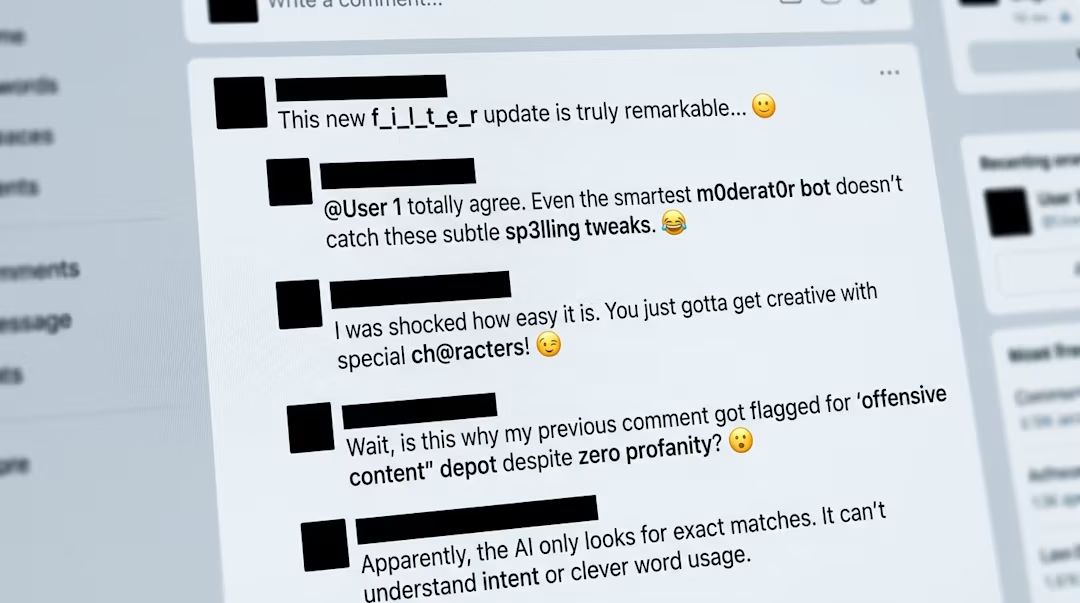
Why Keyword Filters Fail Against Trolls (And What Actually Works)
Trolls have turned filter evasion into an art form — character substitution, coded sarcasm, emoji attacks, and slang that no blocklist will ever catch. Here's why your keyword list will never be enough.
Elmer Cruz
Last updated: March 22, 2026

What Troll Comments Actually Cost You (Beyond the Insult)
Troll comments do more damage than it looks. Here's what actually happens to your real supporters and your reputation — long after the comments are gone.
Elmer Cruz
Last updated: March 23, 2026